
Text messages
Last updated: October 14, 2026
On The Go DJ Pro, Inc sends text messages only after a person checks a box themselves, on their own staff profile or on their own quote. This page explains that program. It does not collect a phone number, and it cannot opt anyone in or out. We do not buy, rent, or import phone lists.
Staff alerts
Our DJs, photographers, technicians, and sales staff can get operational alerts about leads assigned to them, agreements, and events they work. A staff member opts in on their own profile in the staff portal at portal.onthegodjpro.com (login required) by typing the mobile number they want alerts on into the Mobile number for text alerts field and checking a box that starts unchecked. Only that staff member can do this. An administrator saving a phone number does not opt that person in. Opting in is optional and is not required to work with us. Staff alerts are not marketing.
Because the staff portal requires a login, the full opt-in is shown below, step by step, with sample data.
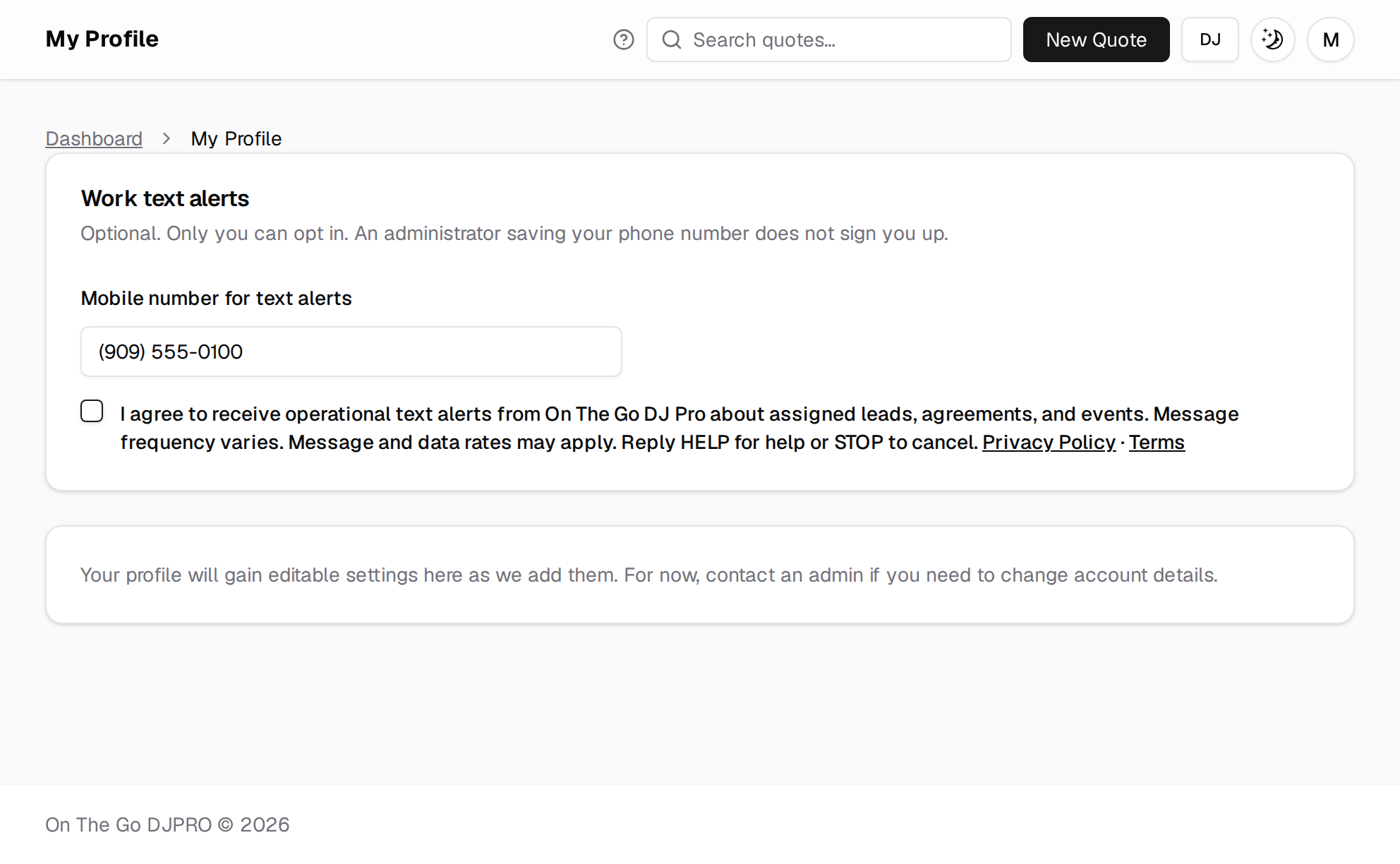
Checkbox text, unchecked by default: I agree to receive operational text alerts from On The Go DJ Pro about assigned leads, agreements, and events. Message frequency varies. Message and data rates may apply. Reply HELP for help or STOP to cancel.
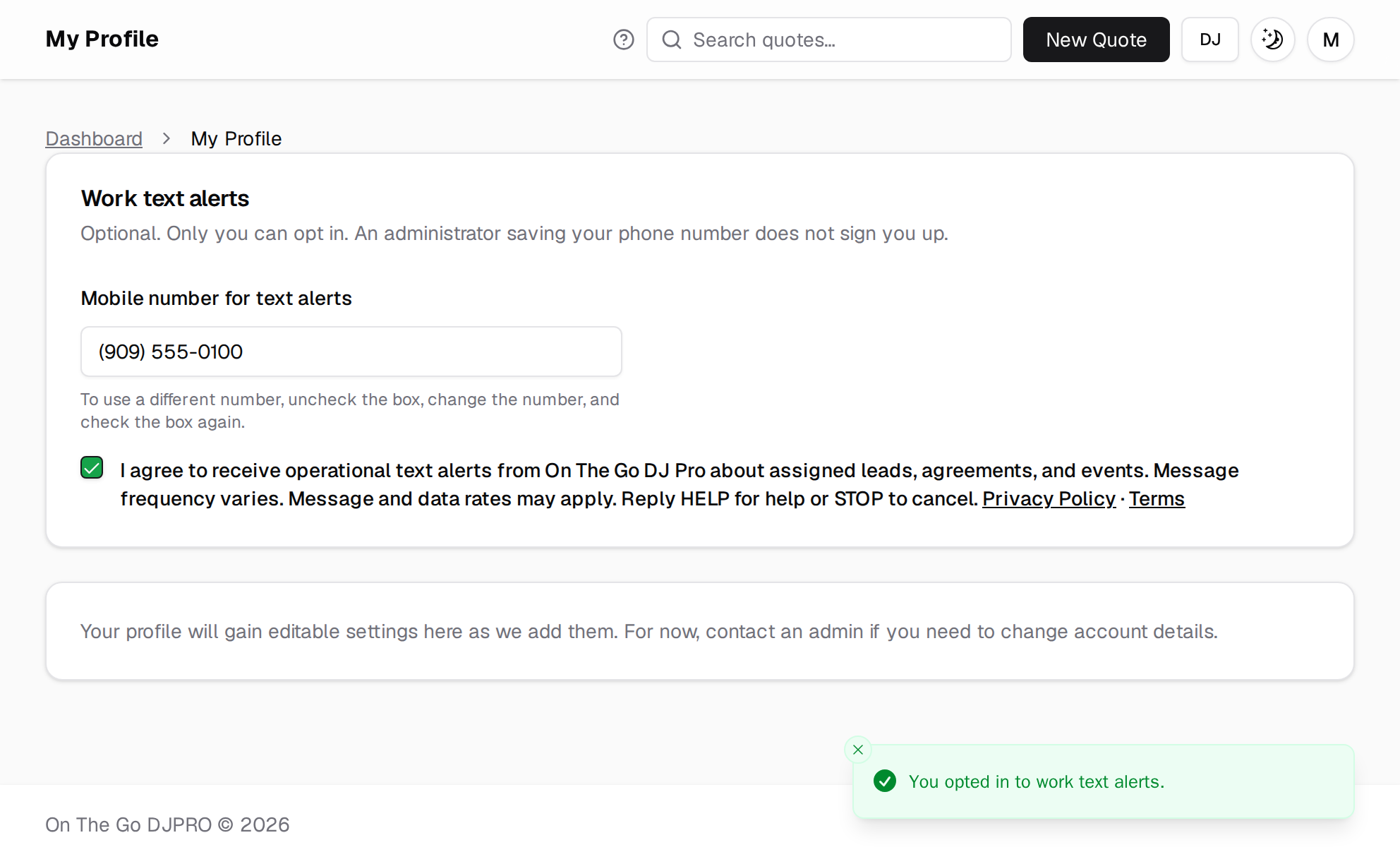
Alerts go only to the number the staff member typed. The staff member can uncheck the box on the same page at any time, or reply STOP to any alert.
Example staff alert:
On The Go DJ Pro: New lead assigned to you: Smith wedding, Jun 14. Details are in the staff portal. Reply STOP to opt out.
Client event messages
A client can opt in on their own active quote. On instant-quote.onthegodjpro.com, choose Start DJ quote. The first step, Contact Information, has the checkbox under the phone number the client enters for that quote. The checkbox starts unchecked. Leaving it unchecked still lets them request the quote. A quote created by staff collects this consent only when the client opens that quote and checks the same box. Staff cannot check it for them.
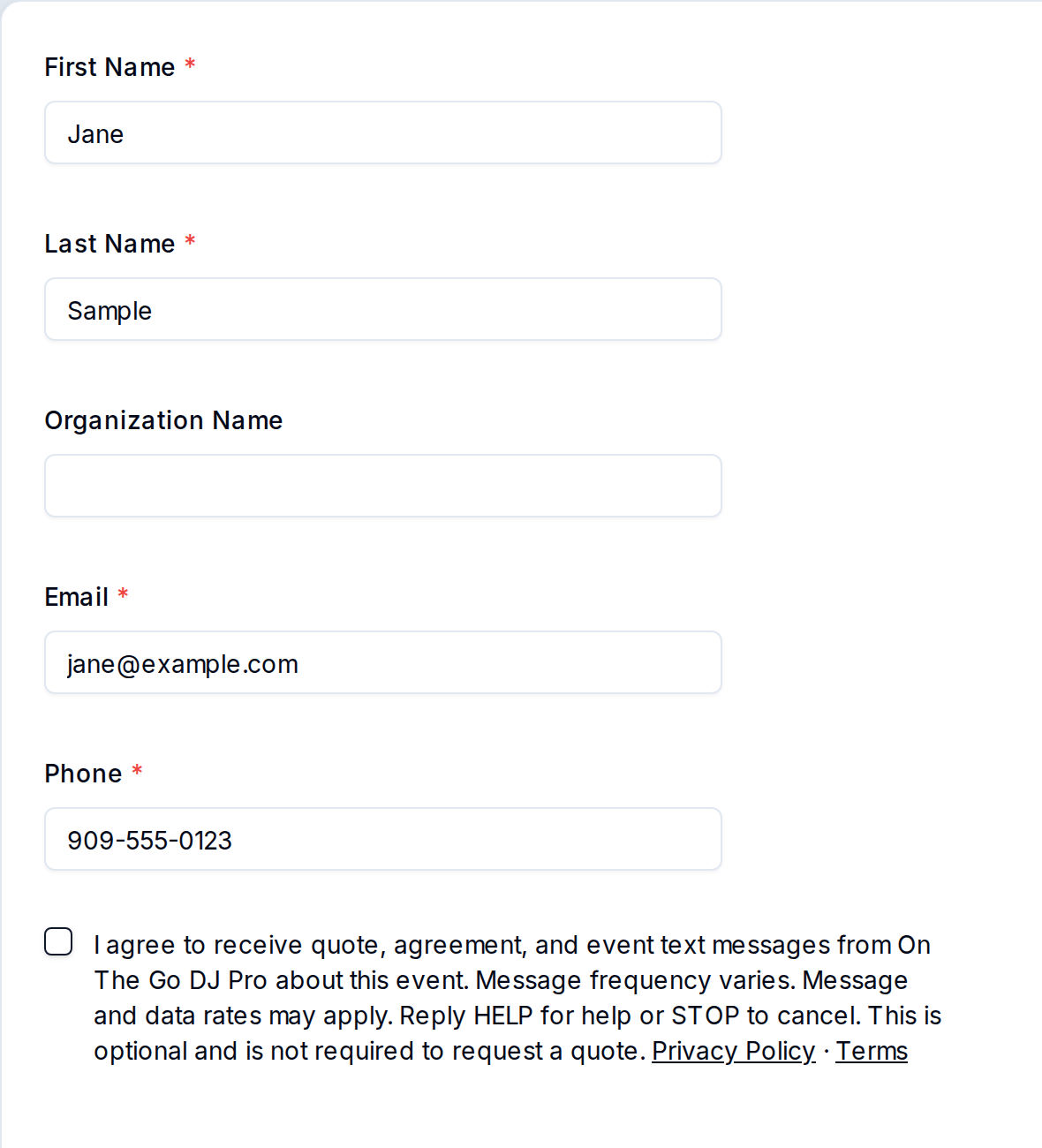
Checkbox text, unchecked by default: I agree to receive quote, agreement, and event text messages from On The Go DJ Pro about this event. Message frequency varies. Message and data rates may apply. Reply HELP for help or STOP to cancel. This is optional and is not required to request a quote.
Program terms
- Message frequency varies.
- Message and data rates may apply.
- Reply STOP from the phone that received the message. That reply is how we know the opt-out came from that handset.
- Reply HELP for help, email support@onthegodjpro.com, or call (909) 767-2919.
- Carriers are not liable for delayed or undelivered messages.
See the opt-out page, the Privacy Policy, and the Terms and Conditions.
No mobile information will be shared with third parties/affiliates for marketing/promotional purposes. Information sharing to subcontractors in support services, such as customer service, is permitted. All other use case categories exclude text messaging originator opt-in data and consent; this information will not be shared with any third parties.